01
Relax
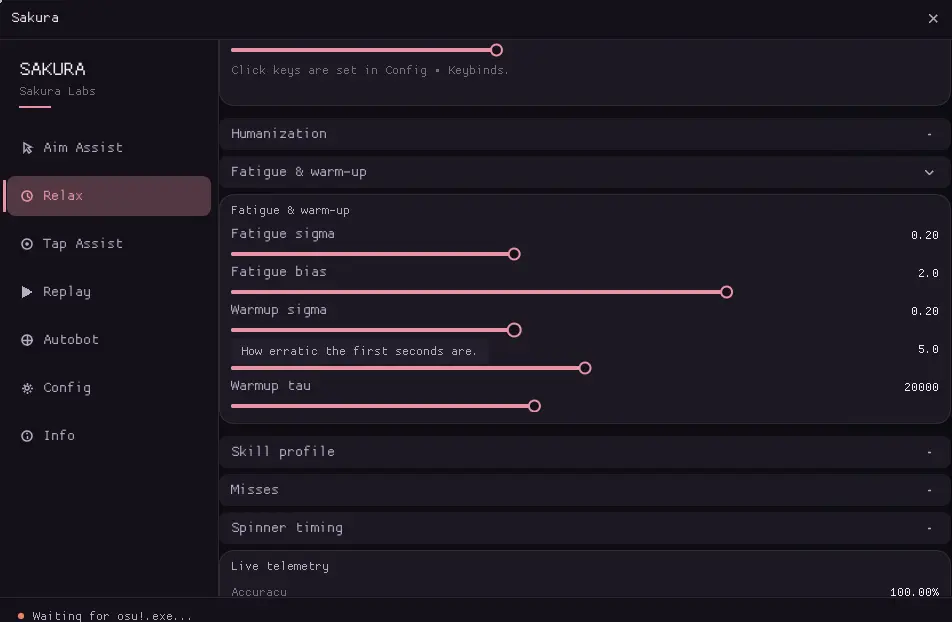
Adjust the timing of scheduled clicks and set a target accuracy. Additional settings control timing variation and session behavior.
For osu!stable on Windows
A desktop app with timing, cursor, and HUD options. Choose which modules to use and adjust them from the panel.
v1.0 · 64-bit · osu!stable
Modules
Each module can be configured from the app. The descriptions below summarize what each one does.
Adjust the timing of scheduled clicks and set a target accuracy. Additional settings control timing variation and session behavior.
Moves the cursor toward the current object. Settings control movement speed and variation.
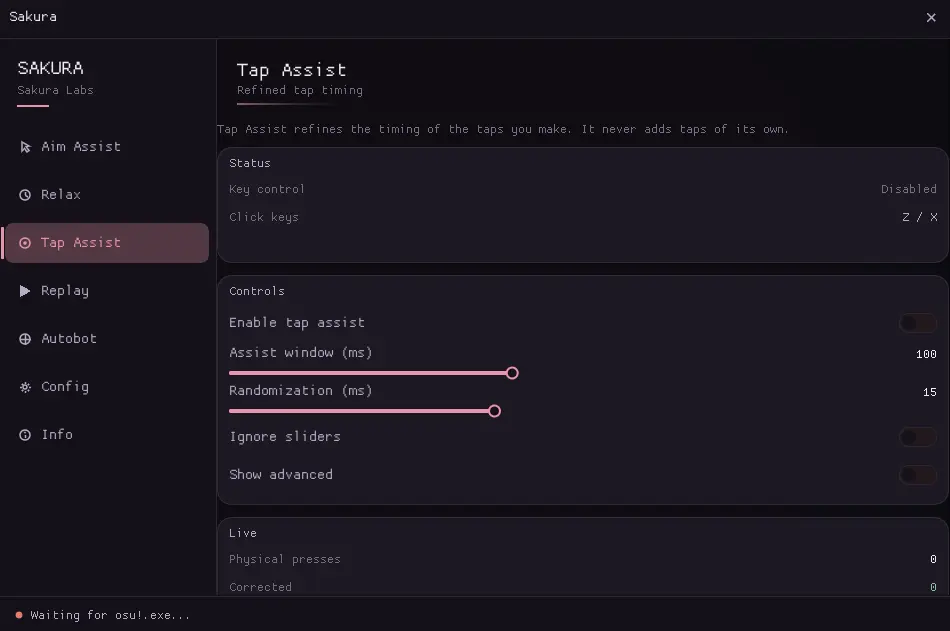
Adjusts the timing of taps within a configurable correction window. Randomization can be changed in the module settings.
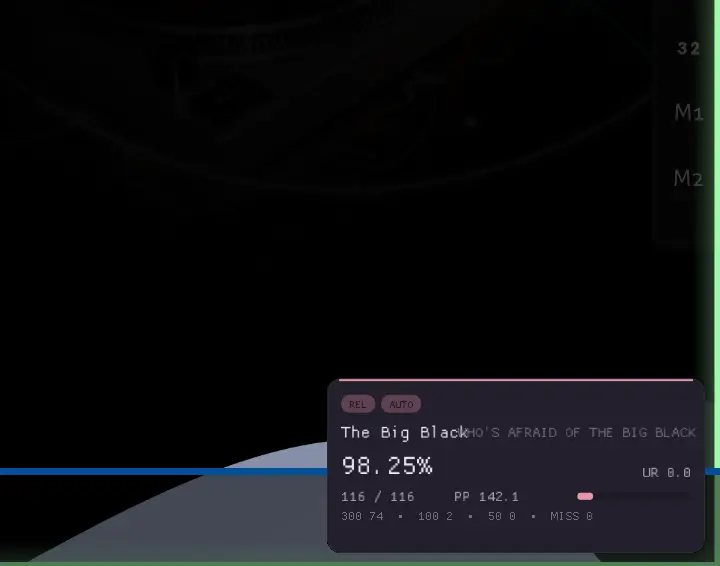
Shows active modules and game statistics in a floating panel. Position, opacity, and visibility keybind are configurable.
Stores app settings in a versioned file and saves changes automatically. A manual save option is also available.
Controls variation in generated timing and cursor movement. The available parameters are configured in the app.
Screenshots
Current views of the Relax, Tap Assist, and HUD screens.
Operation
The app attaches to osu!stable, reads game and input state, then schedules configured actions.
Sakura locates the running osu!stable process and opens a read-only handle.
The app reads game state and observes mouse and keyboard input.
Enabled modules use the current map state and the settings in the panel.
The input scheduler sends configured actions through the Windows input system.
Plans
Plans differ by duration and number of supported machines.
$3
7 days · 1 machine
$10
30 days · 1 machine
$25
90 days · 2 machines
Information
Requirements, compatibility, and account details.
Sakura is a third-party app for osu!stable. It reads game state and provides configurable timing, cursor, and HUD modules.
Sakura opens the game process with read-only access. It does not write to that process or inject code. Review the app and your system configuration before use.
Windows 10 or Windows 11, 64-bit. If your system can run osu!stable, it can run Sakura.
The app varies timing and cursor movement according to its configured behavior. The module settings provide the available controls.
The click keys can be changed in the panel.
Support is delivered through the customer area or the Discord server. The customer area is accessible from the panel, and the Discord server is linked from the website.
The available payment methods are listed in the purchase flow. Access is sold for a fixed period and expires at the end of that period.
Sakura currently supports osu!stable. osu!lazer is not supported.
Licenses are associated with a device identifier for activation. See the account or purchase terms for device changes and transfer details.
Recovery and transfer options depend on whether the license is linked to an account. Contact support for help with an active license.
Sakura · v1.0
Join the Discord for access information, setup notes, and support.
Open Discord ↗